
Run a Rust server. No command prompt.
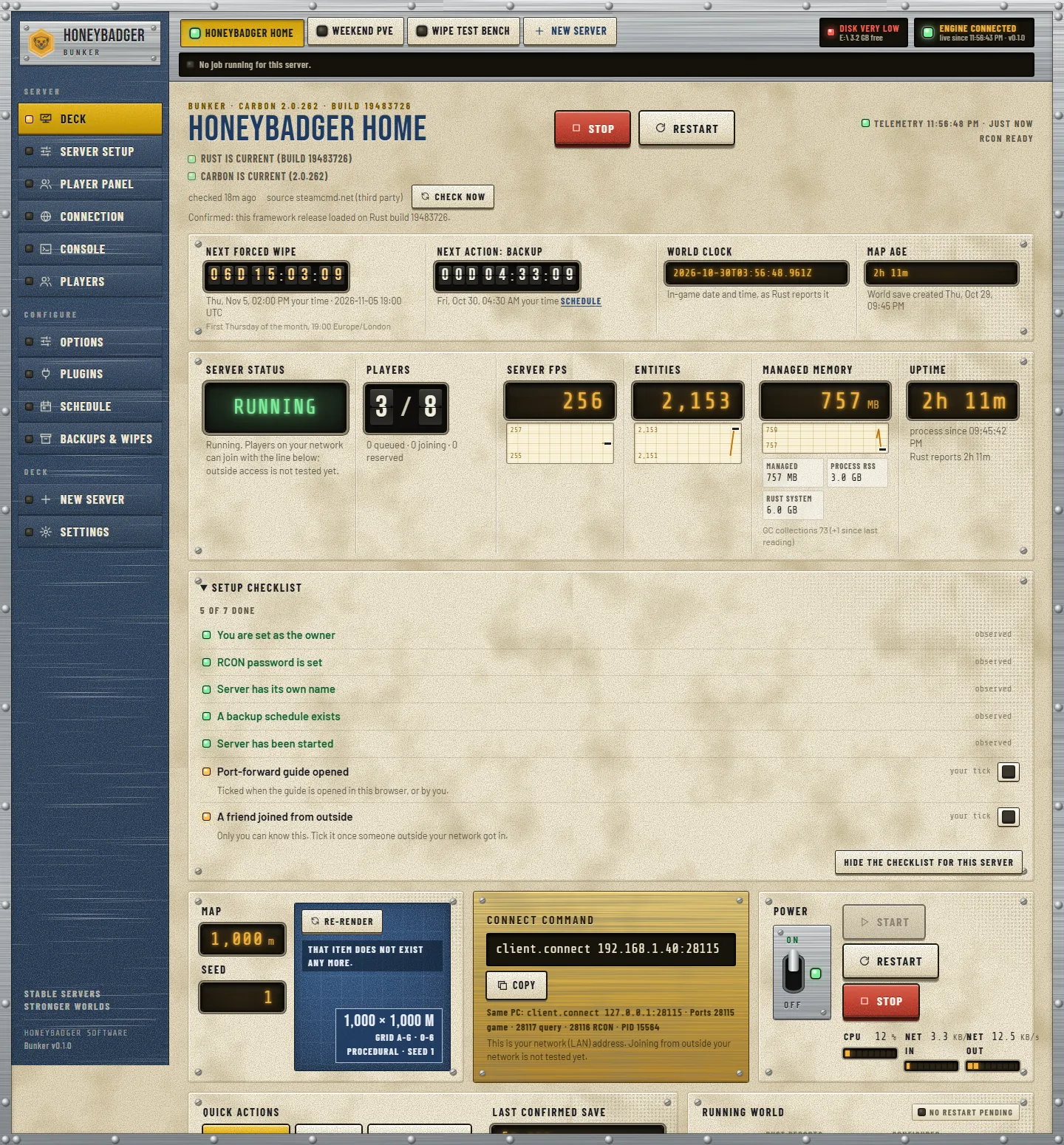
HoneyBadger Bunker installs a Rust dedicated server with SteamCMD and hands you the whole thing in one window: start it, stop it, back it up, wipe it on a schedule, and watch the players, the server FPS and the live console the entire time.
The whole server, in one window
Everything a Rust dedicated server needs doing, done from a control deck instead of a command line.
Installs the server
Point it at a folder and it pulls the Rust dedicated server down with SteamCMD for you. No manual SteamCMD scripts, no hunting for the right app id.
Start and stop
One control starts the server and one stops it cleanly. The deck shows whether it is running, starting or down, without you reading a log.
Backups
Back up the server's save and config on demand, so a bad wipe or a bad plugin is one restore away instead of a lost world.
Scheduled wipes
Set the wipe on a schedule and let the deck run it. Map and blueprint wipes on the cadence you choose, not the night you happen to remember.
Live players, FPS and console
The player list, the server's FPS and the raw console scroll live in the deck while the server runs. The console is right there to read and type into.
One window, no command prompt
Install, run, wipe, back up and watch the server from a single window. You never open a terminal to keep a server alive.
Windows and Linux
A signed one-click installer on Windows; a copy-paste install that runs it as a systemd service on Debian, Ubuntu, Fedora and RHEL.
This is the actual deck
Real screens from the running program — not mock-ups. Every one of these is a tab in the window.
One server, one window. Live status, players, server FPS, entities, memory and uptime while the server runs — and the big Start / Stop right where you expect them.
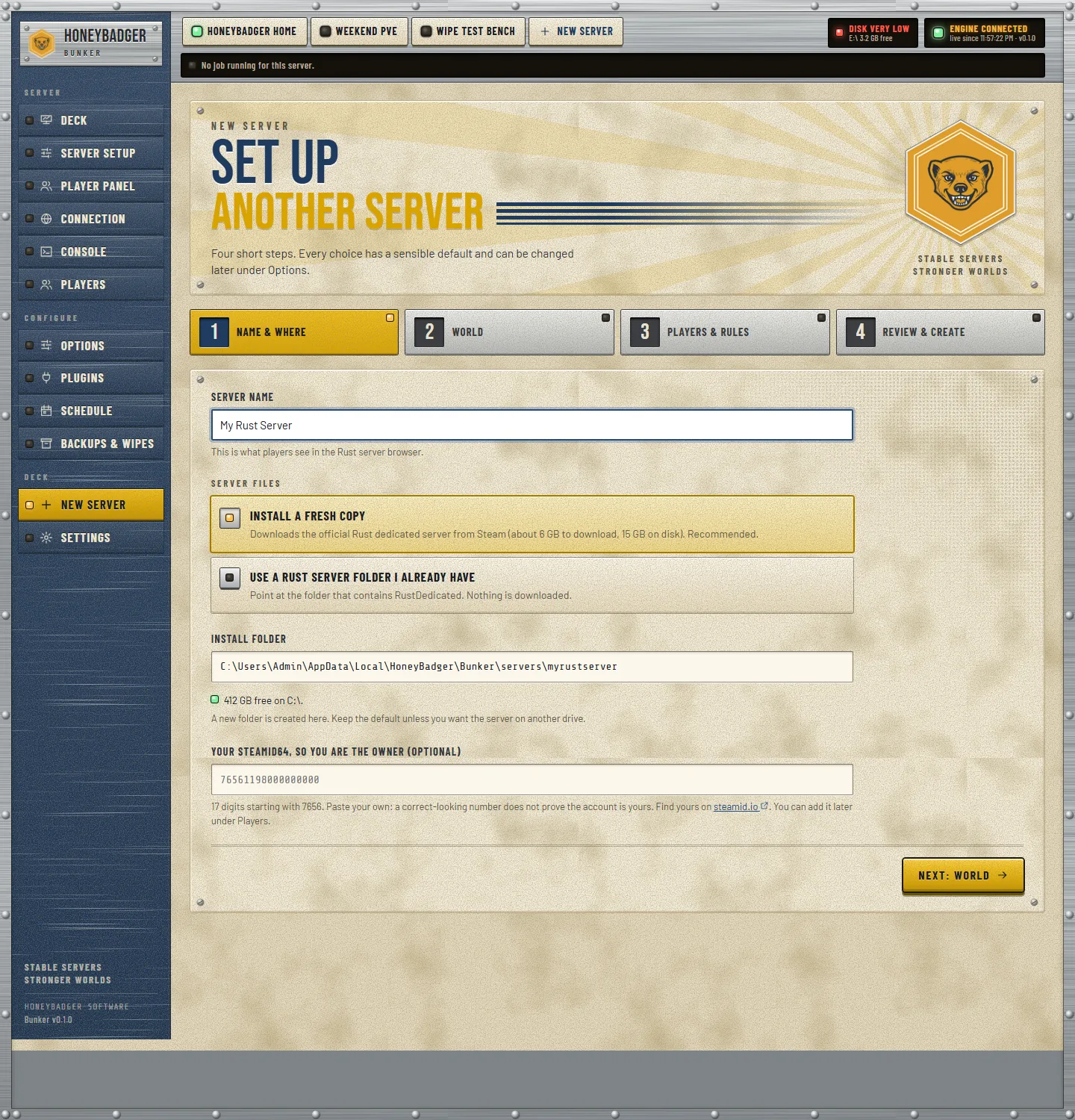
Name it, pick a folder, choose the map and slots. It picks free ports and installs the game with SteamCMD for you.
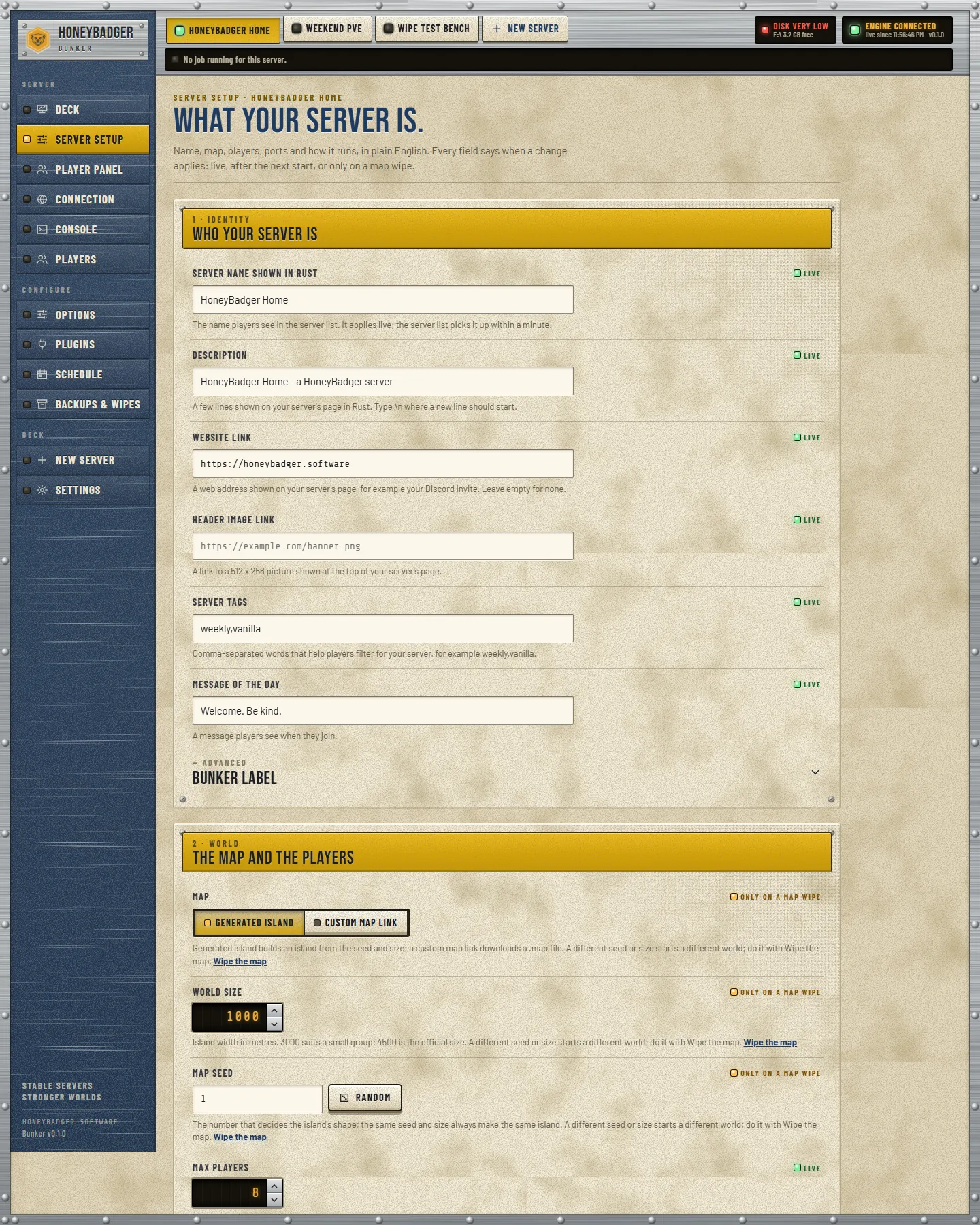
Every core setting for the server laid out as fields — no hand-editing a config file to change the map, the name or the slot count.
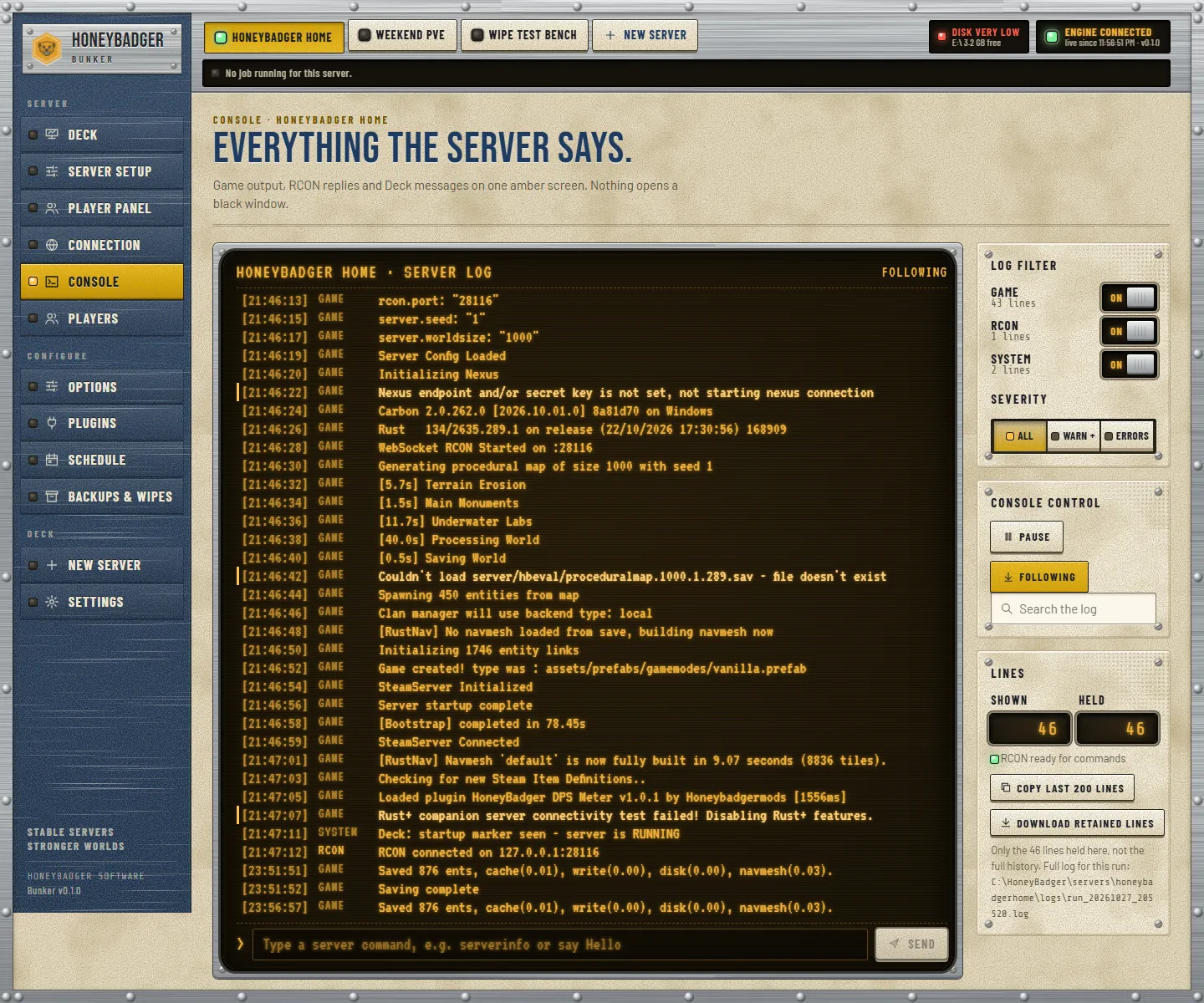
Every line the server prints, streaming live, with log-level filters and a command box to type straight into the server. The black box, opened up.
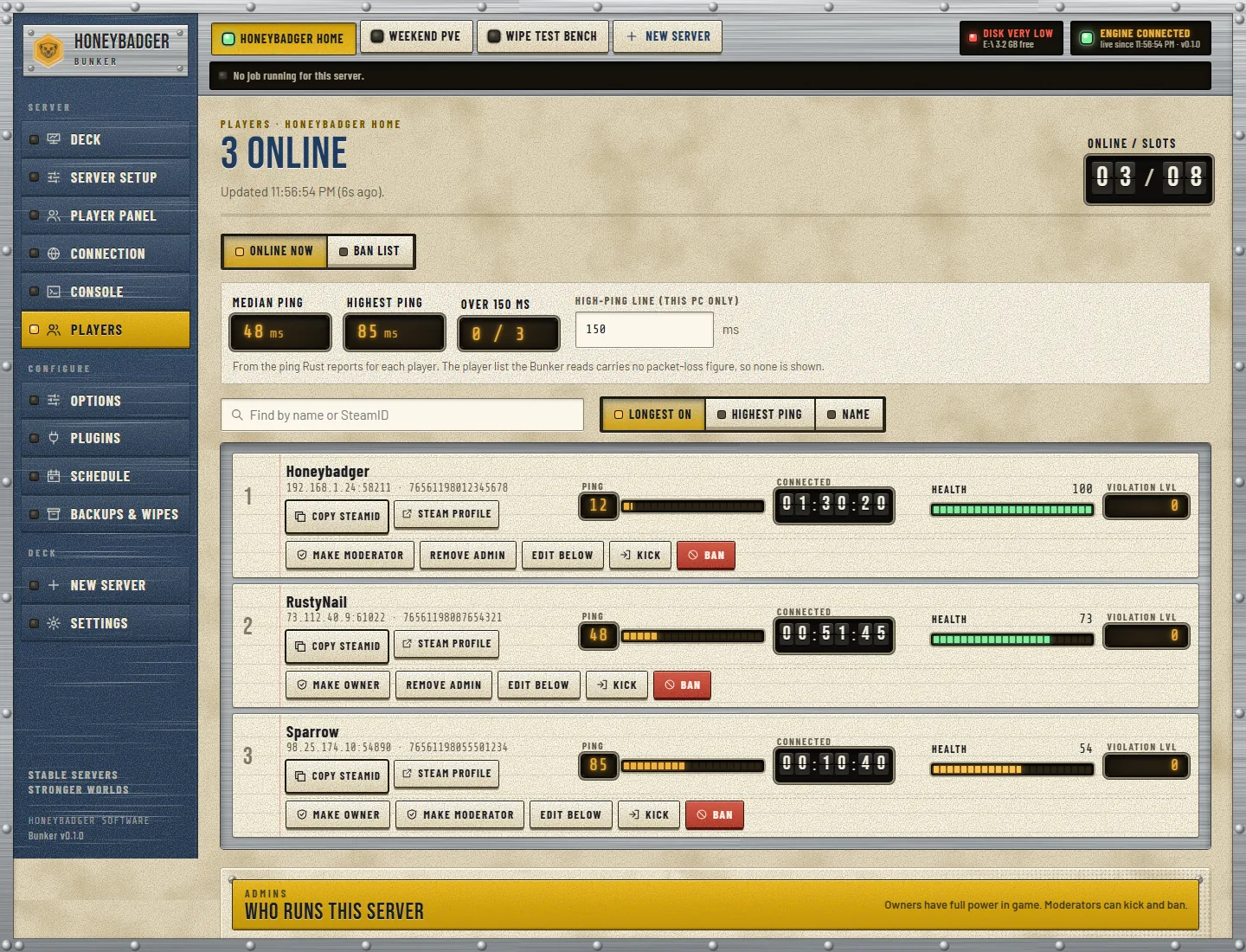
The live player list, read straight from the running server — names, status, and the controls to manage them.
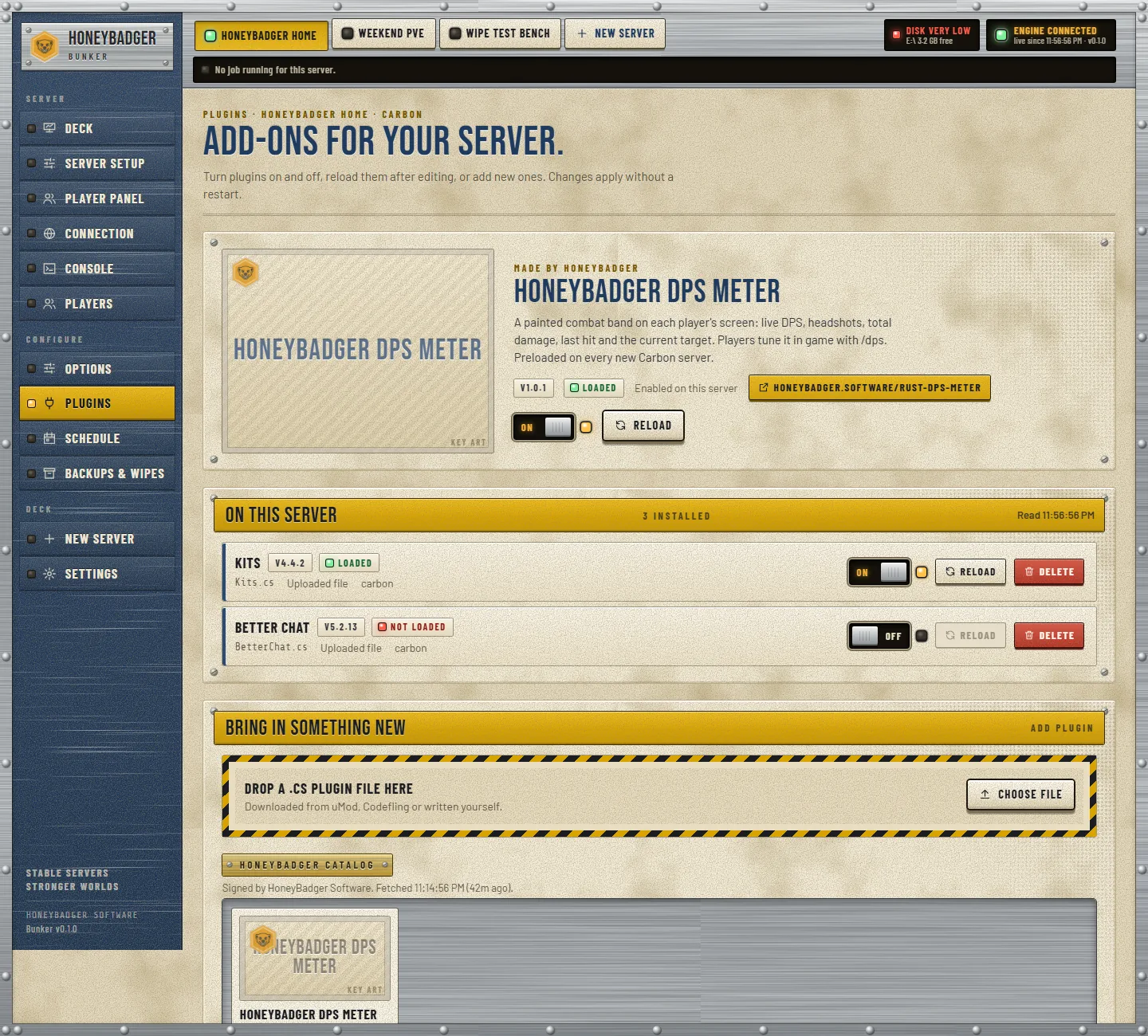
Carbon or Oxide in one click, and the free HoneyBadger DPS Meter installs from the same list.
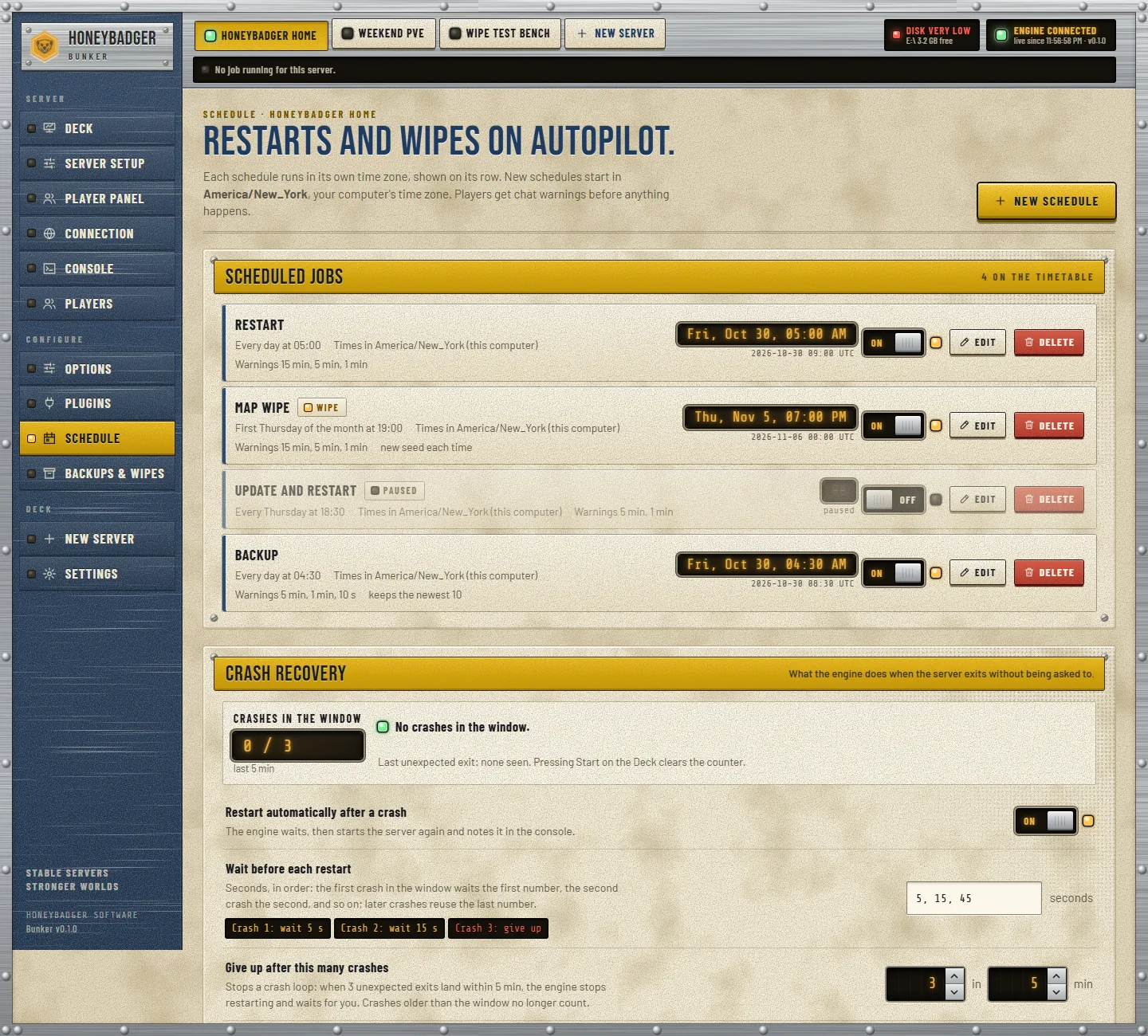
Map and blueprint wipes on the cadence you set — not the night you happen to remember.
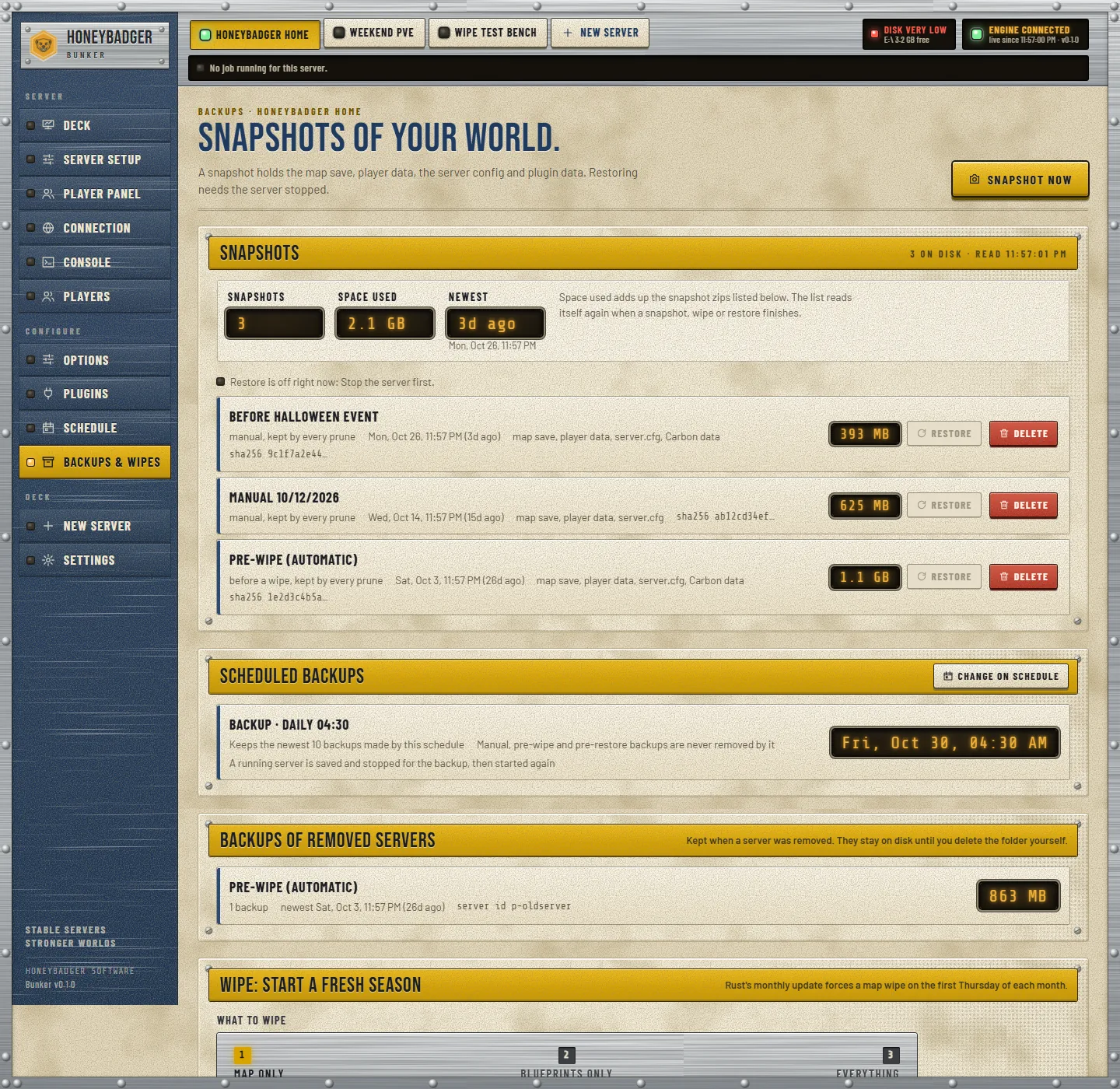
Snapshot the save and config on demand. A bad wipe or a bad plugin is one restore away, not a lost world.
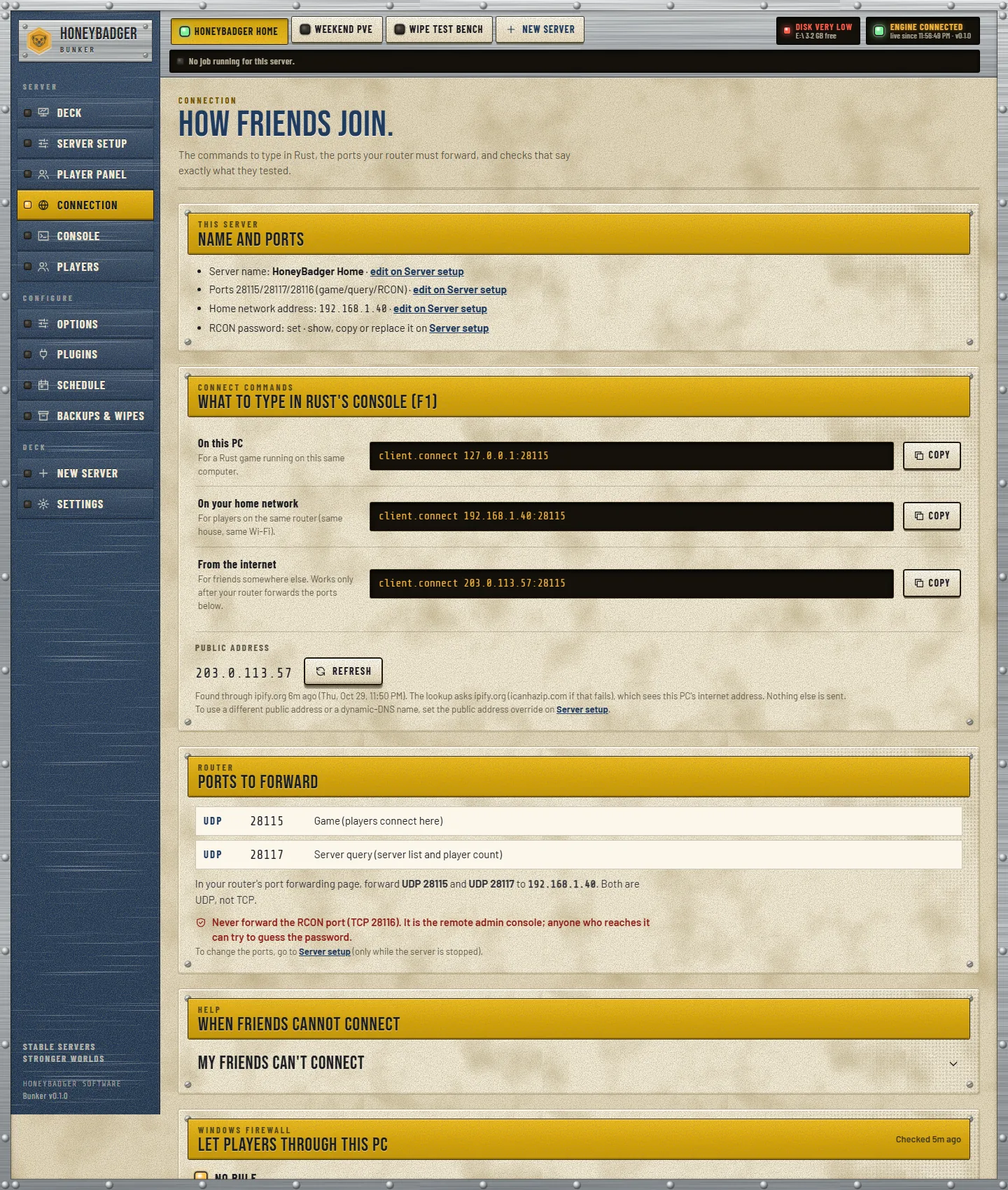
The address, ports and RCON details players and tools need — including the exact ports to forward.
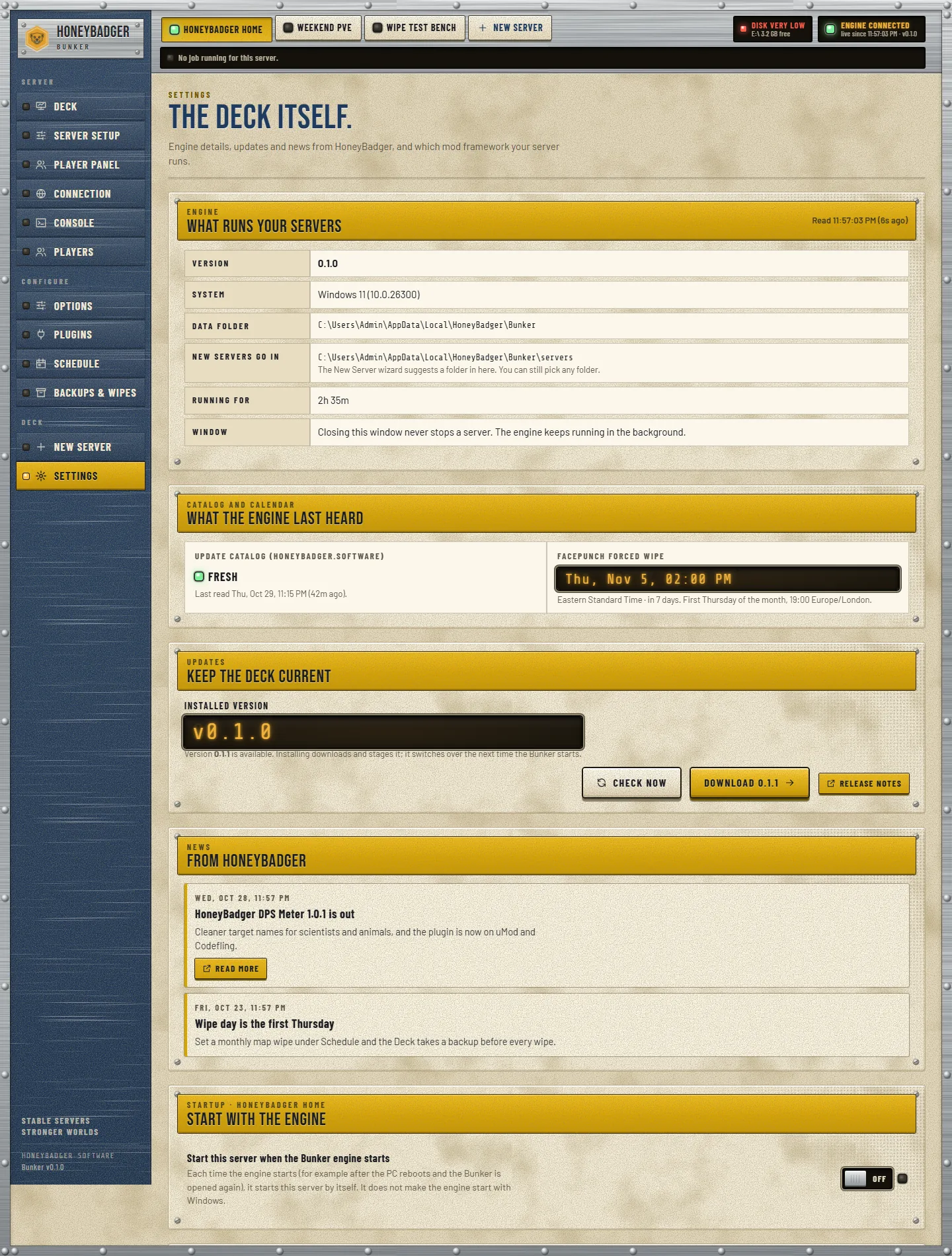
Server name, map, slots, Rust+ and the rest — all in plain fields, no terminal and no config file.
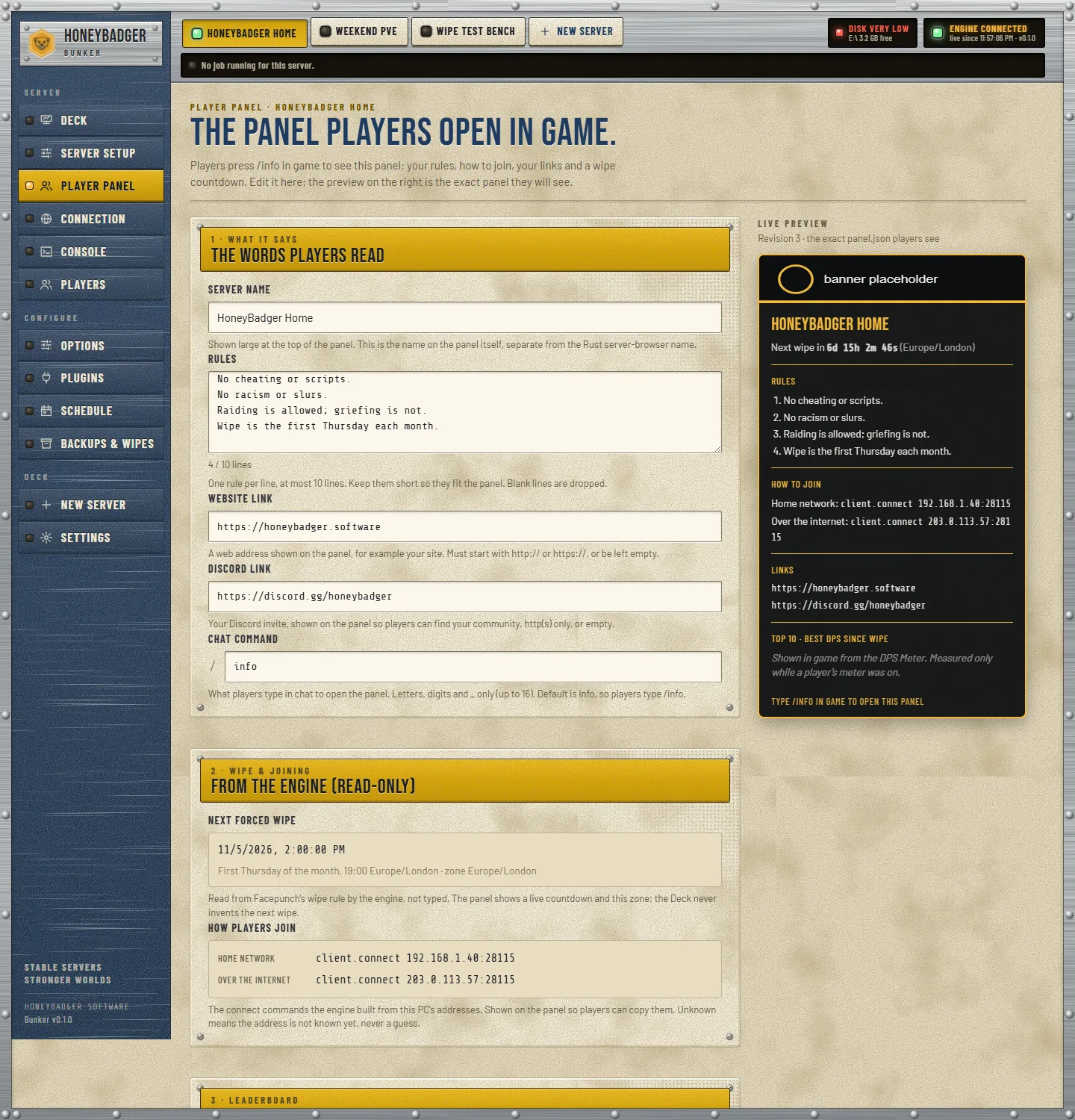
What your players see on the server — the free in-game HoneyBadger info panel, served by the deck.
Two ways in
A signed installer for Windows, a one-liner for Linux. Both are free and both give you the same control deck.
Windows 10 / 11 — 64-bit
Windows installer
A signed installer, so there is no "unknown publisher" warning. One click, installs per-user, and it needs no administrator rights. Download it, run it, open the deck.
SHA-256cd0c9977053bce44b908e6d13b1e10403b8a040016e1c3319ba537c3c446c77a
Linux — Debian / Ubuntu or Fedora / RHEL
Linux one-liner
Paste this into a terminal on a server you own. It installs the deck as a systemd service under an unprivileged user, and pulls in the 32-bit libraries and Python it needs automatically.
curl -sSL https://honeybadger.software/installer/install.sh | sudo bash -s -- --from https://honeybadger.software/installer/HoneyBadgerBunker-0.1.0.tar.gz
The deck runs on 127.0.0.1:27800 — loopback only, so it is never exposed to the internet. Reach it from your own machine over an SSH tunnel.
SHA-256 (tar.gz)57cb5c23d3a101c62bd916288bf94cd67decb4e06e787f1f555b25c2444fed99
HoneyBadger Bunker runs a Rust server on a machine you control — a Windows PC, a VPS, or a dedicated or home Linux box.
It is not for a managed or rented game-server slot from a hosting panel; those do not give you the machine, so the deck has nothing to install onto.
What the box needs
A Rust server is a real game server. Give it room and open the two ports it listens on.
Memory
Roughly 12 GB of RAM per Rust server. A bigger map or a full population wants the headroom.
Disk
Around 15 GB of disk per server for the install, the map and the saves.
Ports to forward
Forward UDP 28015 for the game and UDP 28017 for the server query, so players can find and join you.
The deck stays private
The control deck's own panel is loopback-only. It is never forwarded; you reach it on the machine itself or over an SSH tunnel.
This is v0.1.0 — tell us what breaks
HoneyBadger Bunker is a test release. We want testers running it on real boxes and telling us what snags — what the installer missed, what the deck got wrong, what you wish it did.
Known, up front: this is an early test build and some edges are still rough. Send feedback through the community page and it goes straight to the people building it.
The DPS Meter is already in the box
HoneyBadgerFree — Rust — Oxide + Carbon
Every Bunker ships with the free HoneyBadger DPS Meter plugin: a live combat band with real landed damage, headshots, last hit, target HP, accuracy and weapon. Install it on your server from the deck's plugin list.
DPS Meter docsStand up a Rust server tonight.
Free, one window, Windows or Linux. SteamCMD does the install; the deck does the rest.